















Engaging enrichment apps in the Clever Library
October 29, 2018
clever


Students love enrichment activities. In fact, teachers do, too! They give much needed breaks from more rigorous lessons and provide opportunities for students to really engage and stretch their creative minds.
But planning enrichment activities takes time- time that can’t be taken away from planning and teaching core curriculum. The Clever Library solves this challenge with dozens of apps that can support you in providing enrichment activities. Sign up with Clever allows you to create accounts for all of your students in two clicks, saving additional time. Below are a few apps in the Clever Library that are great for enrichment.
See, think, wonder with Sutori
Sutori takes a strategic approach to curriculum enrichment. It offers activities designed to stimulate curiosity, reinforce freshly learned material and create ways to apply newly acquired skills.
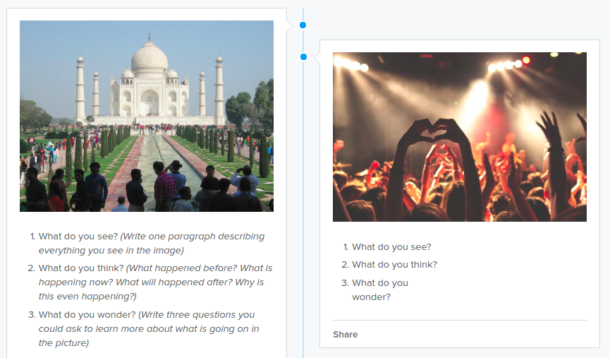
Sutori’s See, Think, Wonder activities make enrichment fun for students and easy for teachers
Browse all of the “See, Think, Wonder” enrichment activities from Sutori.
Install Sutori today.
Share student writing with a real audience.
Kidblog empowers students to write with a meaningful purpose for an authentic audience. The safe, simple, yet sophisticated platform provides students a space to share their voices with classmates, students down the hall, or classrooms across the globe. Teachers retain full control over what is published and with which audiences student work is shared. Digital portfolios are automatically curated, documenting students’ growth year-over-year, making Kidblog an essential component of a student’s learning experience.
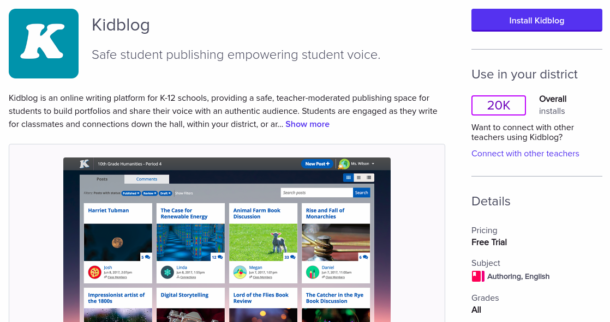
Increase student engagement with Kidblog’s online writing platform.
Kidblog has lots of resources for creating fun, engaging enrichment activities to help deeply embed blogging into your reading and writing curriculum. Here, for example, you can read about three paperless activities to keep studentsf ocused and learning while beginning and ending the school day.
Install Kidblog today.

More to read

Districts
Teachers
August 3, 2026
District-Wide Defense: A Texas School District’s Successful Rollout of Student MFAEdinburg CISD needed to secure student identities across a 30,000+ Chromebook fleet—without overwhelming an already stretched IT help desk. With Clever's age-tiered MFA framework, the Texas district enrolled 99% of its 32,000 students within two months, virtually eliminating password reset tickets and empowering teachers to resolve credential issues in the classroom.

Districts
Global
Teachers
August 3, 2026
One Sync, Half a Million Students: TDSB’s Rostering TransformationCanada's largest school board needed a smarter, more secure way to manage student data across a growing suite of learning applications—without adding to its IT team's workload. With Clever, Toronto District School Board built a customized, application-level rostering model that automated data sync from PowerSchool, gave teachers class-level access, and strengthened data security for 500,000+ students and staff.

Districts
Teachers
July 7, 2026
Newcastle Grammar School Meets Essential 8 Compliance with Clever MFANewcastle Grammar School closed a long-standing MFA gap for students without personal devices by deploying Clever's visual authentication integrated with Microsoft Entra ID, reducing SOC security alerts and unlocking modern authentication features like Windows Hello and Face ID. The school can now confidently answer board and cyber insurance questions on MFA coverage, with plans to extend the program to Years 8–9 and beyond.