















Over 500+ apps to discover, try and adopt
October 23, 2018
clever


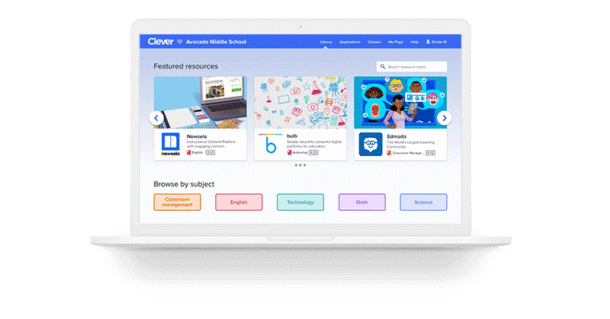
As a teacher, you might be looking for fresh new ways to engage your students. Whether you need to provide interventions to struggling students, look for exciting enrichment activities, or delve into 21st Century skills, coming up with new ways to teach can be difficult. So, where to begin? Now you can start with the Clever Library.
Browse.
Inside the Library, which you can access through your Clever Portal, you can easily browse over 500 apps that are free to try (many are free to use forever). Browse by subject, see what’s new and noteworthy, or what’s most popular in your district.
Try.
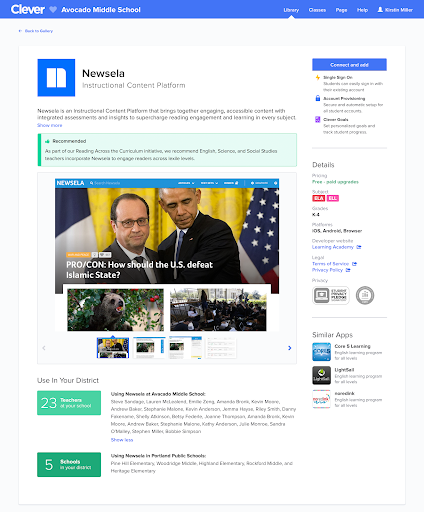
Trying new apps has never been easier. When you see something you like, simply click “Install” or “Add Link” to add it to the “My Page” section of your portal. The apps that have the “Install” come with a bonus feature – it will automatically create accounts for all of your students. No more wasting time manually entering names, email addresses, etc.
Adopt.
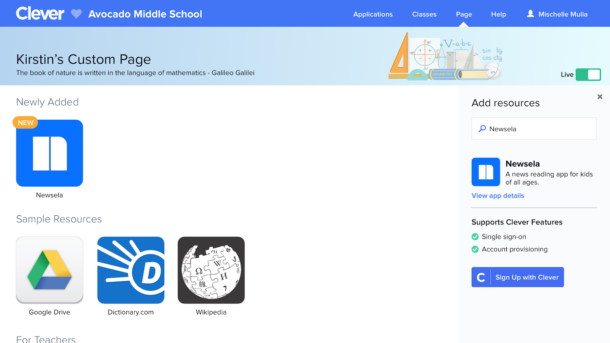
Make the “My Page” section of your portal visible to students so that they see your Library apps when they login. This makes it super easy for students to click an icon and get right into the program you want to use!
Repeat.
Keep coming back to the Library to find and try even more cool new resources for different student needs. For example, in December, come back to the Library to install a coding apps to use for Hour of Code!
Log in today to visit the Clever Library!

More to read

Districts
Teachers
August 3, 2026
District-Wide Defense: A Texas School District’s Successful Rollout of Student MFAEdinburg CISD needed to secure student identities across a 30,000+ Chromebook fleet—without overwhelming an already stretched IT help desk. With Clever's age-tiered MFA framework, the Texas district enrolled 99% of its 32,000 students within two months, virtually eliminating password reset tickets and empowering teachers to resolve credential issues in the classroom.

Districts
Global
Teachers
August 3, 2026
One Sync, Half a Million Students: TDSB’s Rostering TransformationCanada's largest school board needed a smarter, more secure way to manage student data across a growing suite of learning applications—without adding to its IT team's workload. With Clever, Toronto District School Board built a customized, application-level rostering model that automated data sync from PowerSchool, gave teachers class-level access, and strengthened data security for 500,000+ students and staff.

Districts
Teachers
July 7, 2026
Newcastle Grammar School Meets Essential 8 Compliance with Clever MFANewcastle Grammar School closed a long-standing MFA gap for students without personal devices by deploying Clever's visual authentication integrated with Microsoft Entra ID, reducing SOC security alerts and unlocking modern authentication features like Windows Hello and Face ID. The school can now confidently answer board and cyber insurance questions on MFA coverage, with plans to extend the program to Years 8–9 and beyond.