















Clever product updates
December 2016 product release notes
December 13, 2016
clever


Seasons greetings from the Clever team! As school sessions wrap up for this semester, we have a few updates for our users to check out during break:
- The Clever Portal, now with universal SSO
- Join the Clever community
- District profiles for applications
- User search for applications (beta)
- Chromebooks and Clever Badges setup wizard
The Clever Portal, now with universal SSO
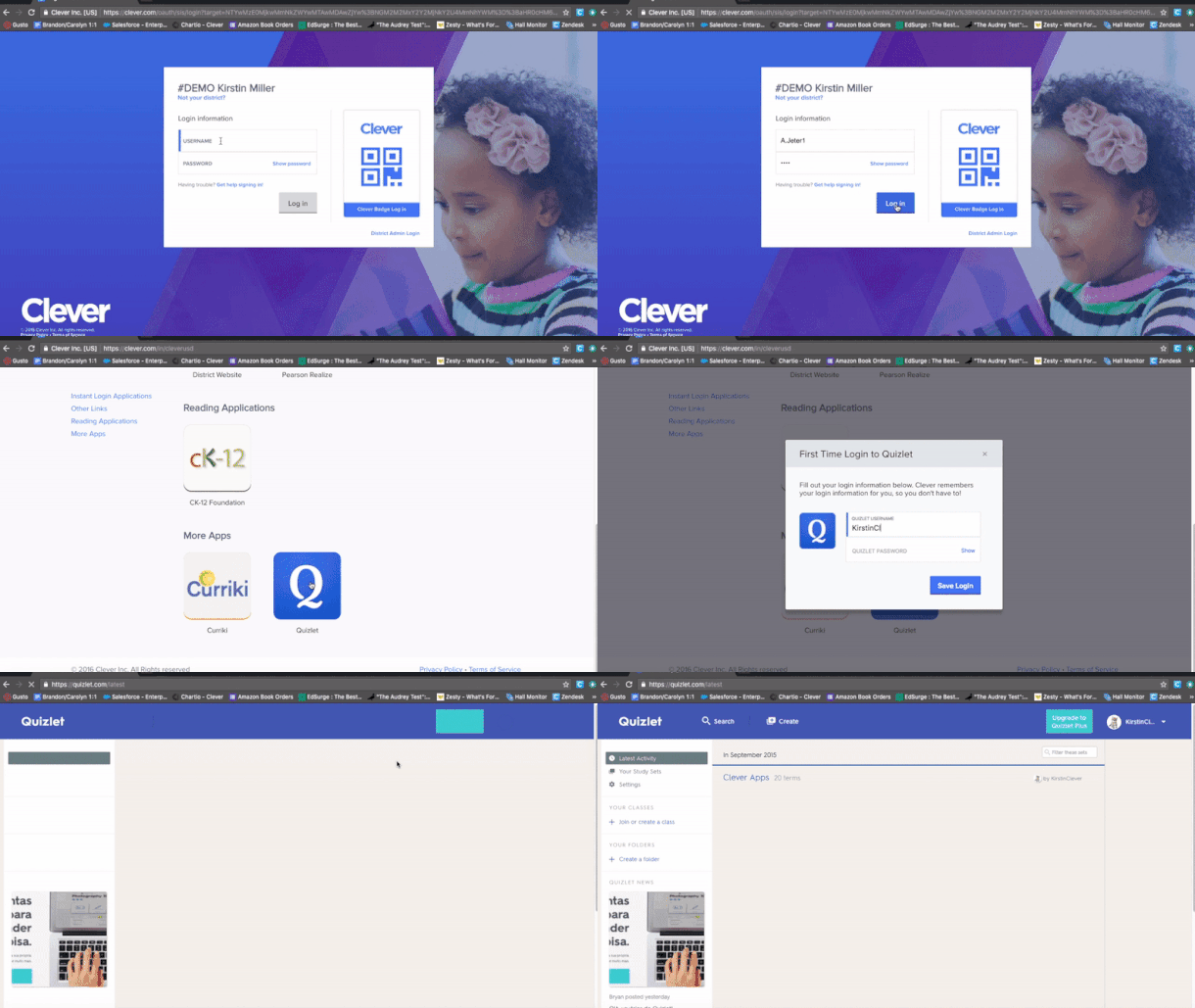
In case you missed it, Clever now supports single sign-on for all applications—even if it’s a custom district tool or an application that doesn’t roster with us yet. And districts can immediately add their applications today! Read our full announcement here.
Join the Clever community
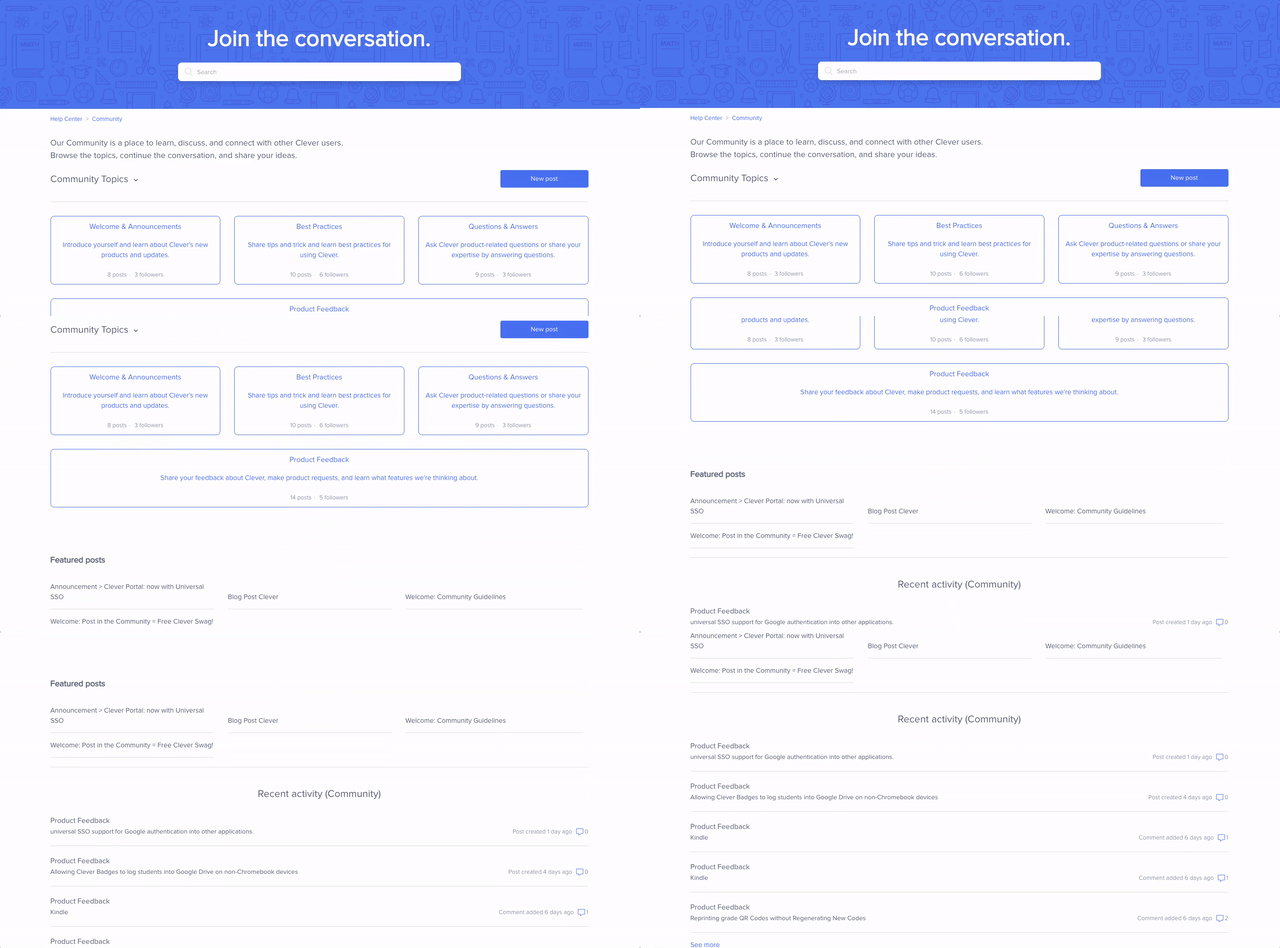
We launched a community for users to talk with each other and discuss all things Clever! Log in with your Clever credentials to share your best practices or leave helpful product feedback.
District profiles for applications
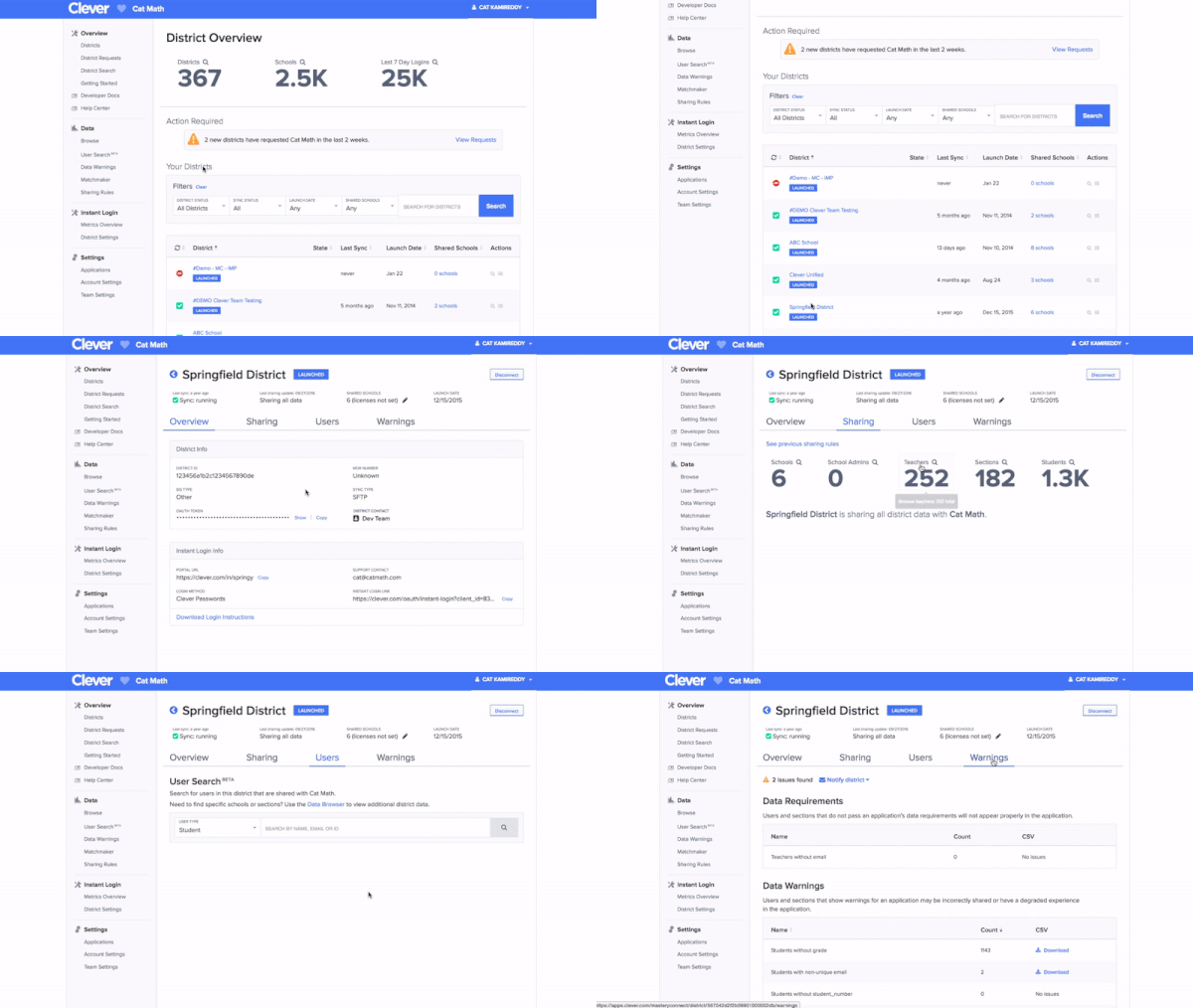
Applications have new profile pages for each of their Clever-enabled districts. Each page has an organized view of the district, their sync status, any data warnings—and our new user search (see below). Have an application account? Log in to the dashboard and click on a district’s name in the District Overview list.
User search for applications (beta)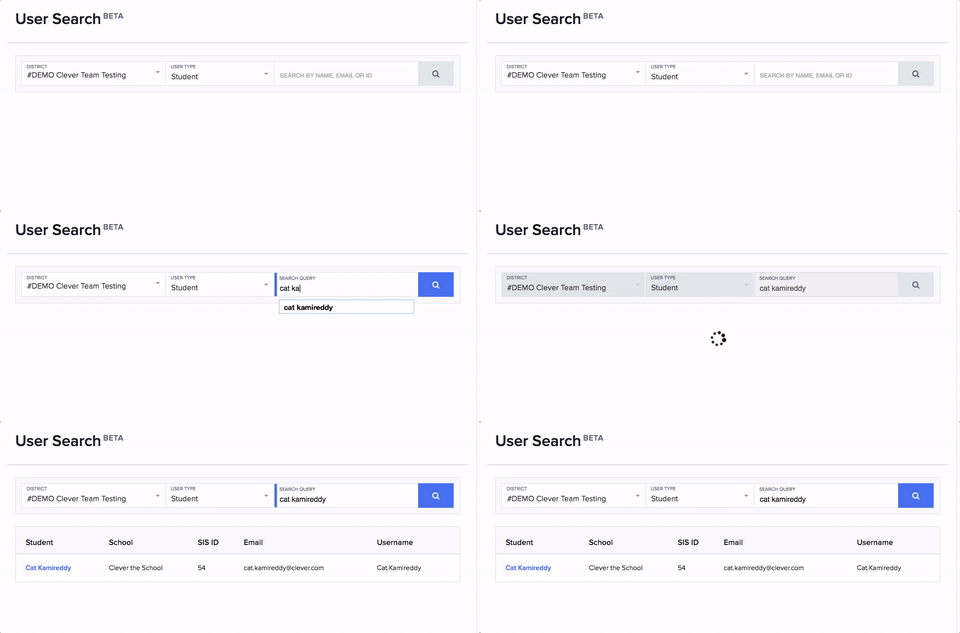
We released our user search functionality in beta to all applications on Clever. Users with an application account can now search for a student or teacher by their name, email, or ID—making it easier than ever to resolve any issues that might pop up. Use it in your dashboard.
Chromebooks and Clever Badges setup wizard
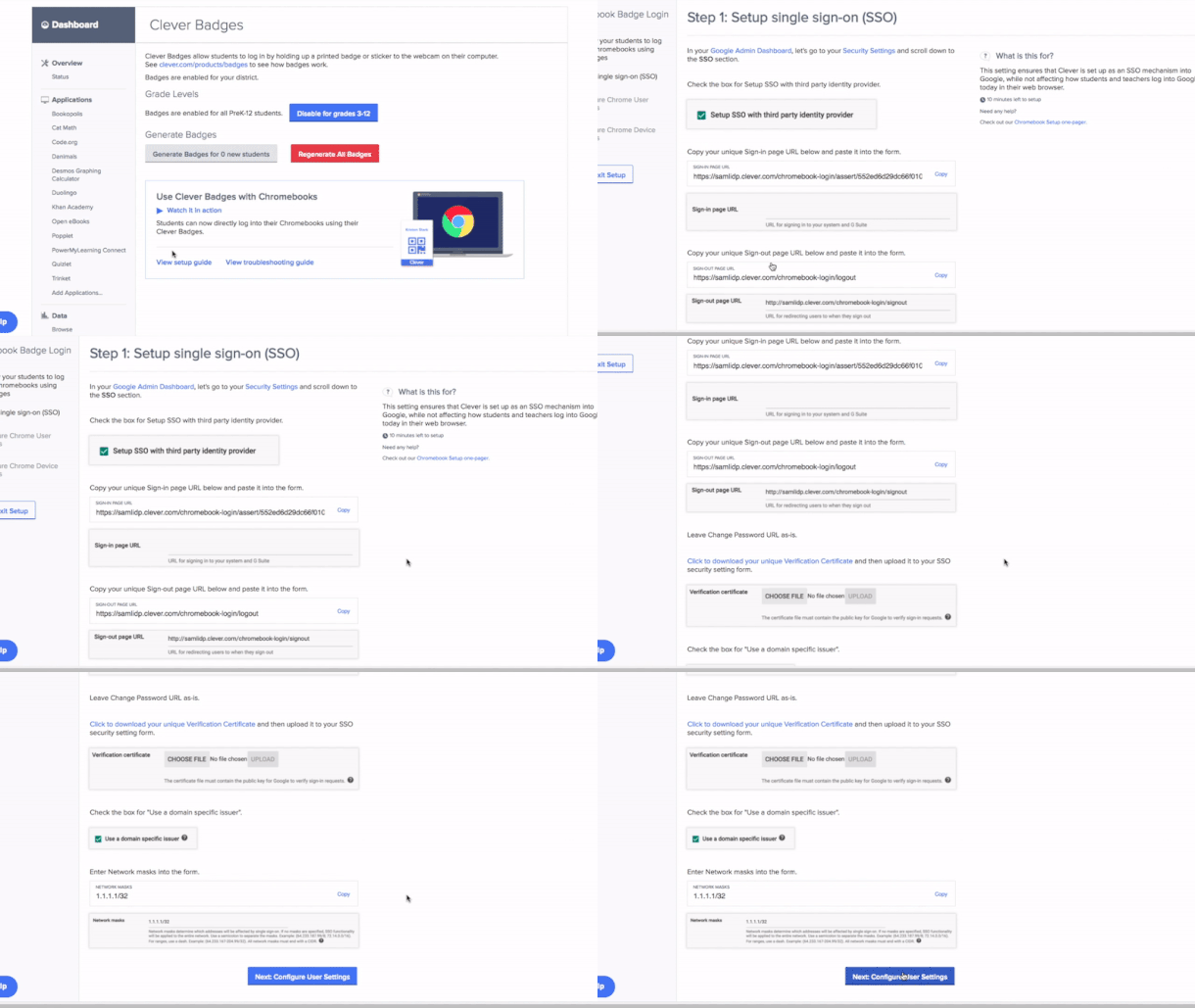
Logging in to Chromebooks with Clever Badges is easy, but now we’ve made the setup process for districts administrators easy too. We’ve added a walk-through guide in districts’ Clever dashboard, so they can get up and running with Clever Badges and Chromebooks in no time.
Questions or thoughts on any of the releases? Let us know in the comments below.

More to read
Districts
Teachers
August 3, 2026
District-Wide Defense: A Texas School District’s Successful Rollout of Student MFAEdinburg CISD needed to secure student identities across a 30,000+ Chromebook fleet—without overwhelming an already stretched IT help desk. With Clever's age-tiered MFA framework, the Texas district enrolled 99% of its 32,000 students within two months, virtually eliminating password reset tickets and empowering teachers to resolve credential issues in the classroom.

Districts
Global
Teachers
August 3, 2026
One Sync, Half a Million Students: TDSB’s Rostering TransformationCanada's largest school board needed a smarter, more secure way to manage student data across a growing suite of learning applications—without adding to its IT team's workload. With Clever, Toronto District School Board built a customized, application-level rostering model that automated data sync from PowerSchool, gave teachers class-level access, and strengthened data security for 500,000+ students and staff.
Districts
Teachers
July 7, 2026
Newcastle Grammar School Meets Essential 8 Compliance with Clever MFANewcastle Grammar School closed a long-standing MFA gap for students without personal devices by deploying Clever's visual authentication integrated with Microsoft Entra ID, reducing SOC security alerts and unlocking modern authentication features like Windows Hello and Face ID. The school can now confidently answer board and cyber insurance questions on MFA coverage, with plans to extend the program to Years 8–9 and beyond.