















Clever product updates
July product notes
July 11, 2016
clever


This month we focused on improvements that will make it easier to triage any issues that may come up during the busy Back to School season, including:
- Login tools for applications
- Login tools for teachers
- SIS details to help applications with troubleshooting
- Recommended sharing settings for districts
Login tools for applications
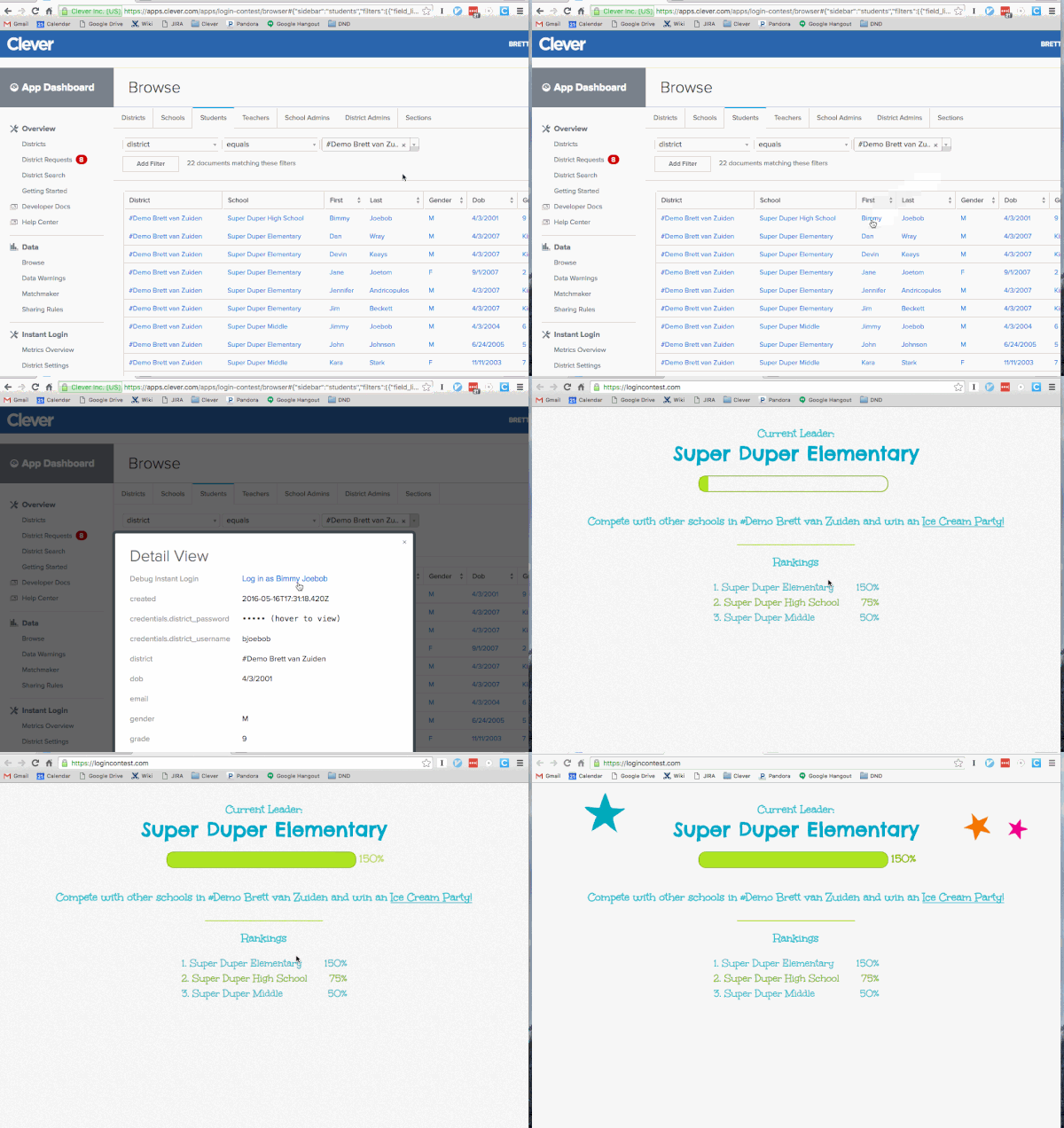
Application support and engineering teams can now more easily triage, reproduce, and ultimately fix Instant Login issues by simulating a login as any student shared with them. This cuts down on weeks of back and forth and eliminates districts needing to share any credentials with applications.
https://www.youtube.com/watch?v=svB_QCdWNS4
Applications can check it out under the Student tab on the Data Browse page in their Clever dashboard—click on any student record to see an option to simulate their experience.
Login tools for teachers
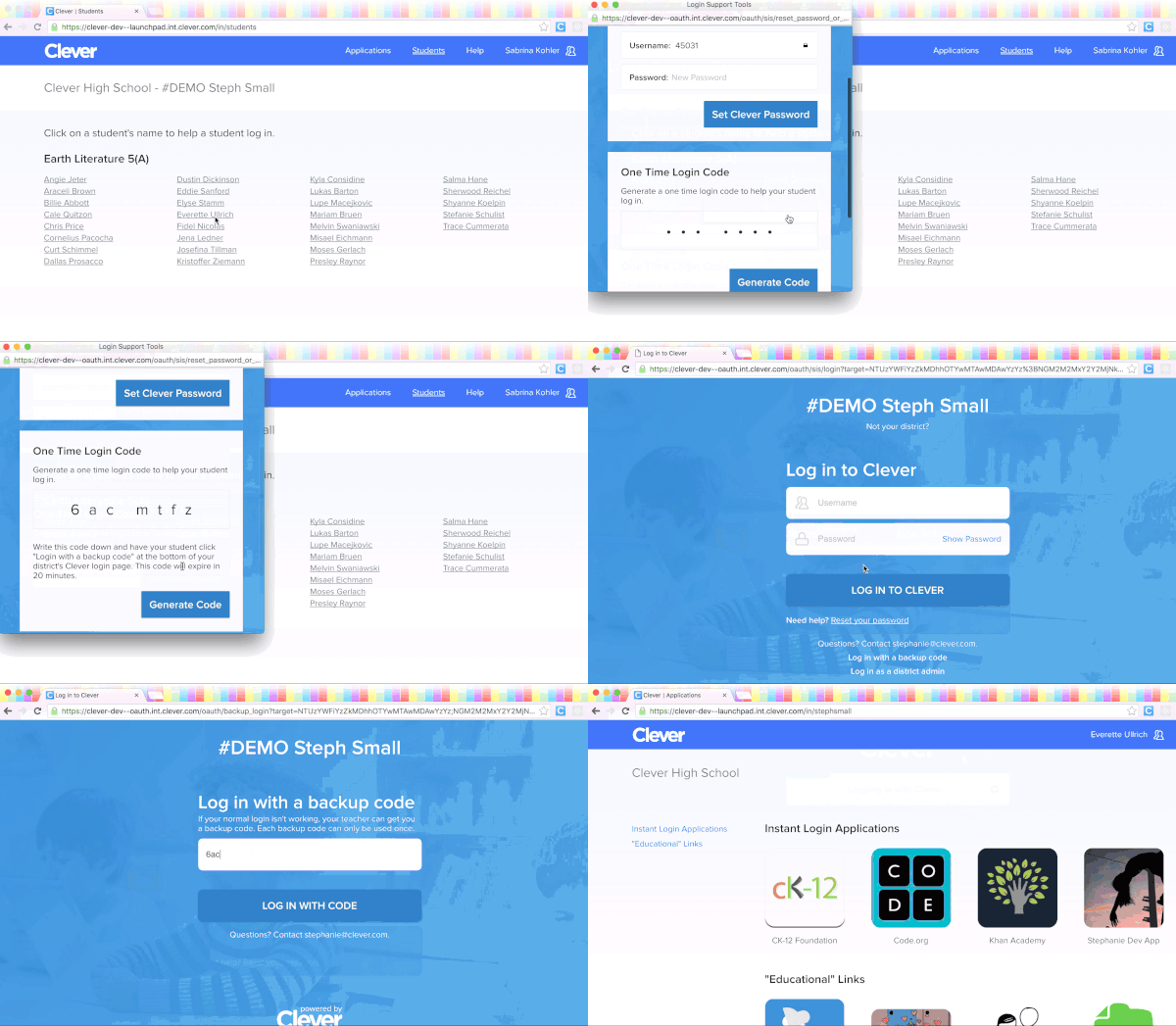
We released a way to help teachers solve login issues in the classroom. Teachers can now generate a single-use login code for any student. The 7-digit backup code is only valid for 20 minutes after the teacher generates it, and it’s invalidated as soon as the student successfully logs in.
https://www.youtube.com/watch?v=vUOy4AQcbgI
Teachers can generate the login codes in their teacher portal, for any student’s name.
View district sync information
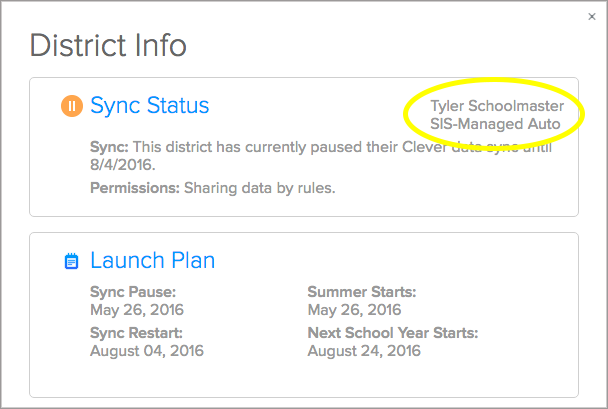
For districts shared with applications, the applications can also view a district’s student information system and sync type in their Clever dashboard. Surfacing this information will streamline any troubleshooting between the district and the application.
Applications can click on any district to view the SIS information, along with pause status, sharing rules, and other helpful details:
Recommended sharing settings
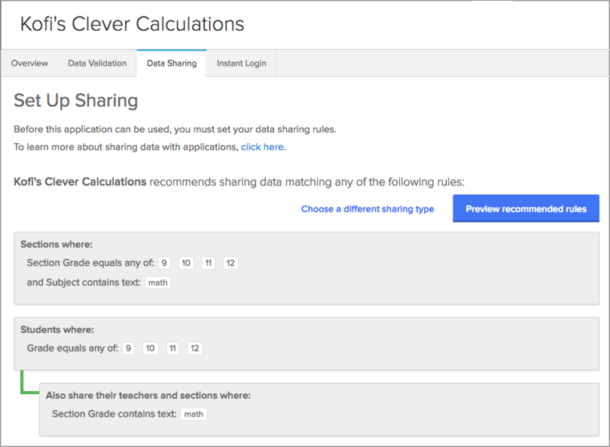
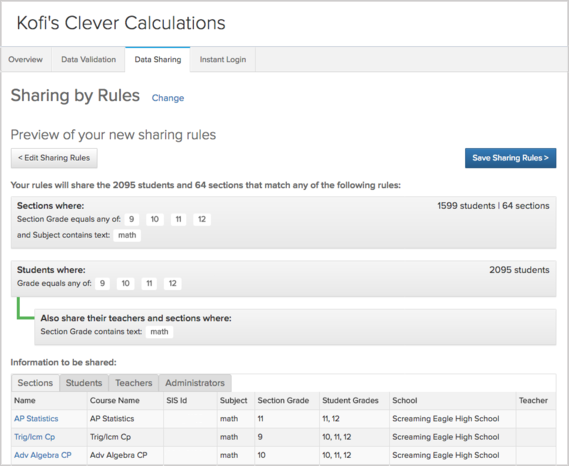
We’re making it easier to ensure districts share the right data with each of their applications— cutting down on districts sharing too little data, which results in errors, or districts “oversharing,” or sharing more information than is needed.
As applications let us know what data they recommend districts share with them, districts will only have to confirm the settings to share relevant information:

More to read
Districts
Teachers
August 3, 2026
District-Wide Defense: A Texas School District’s Successful Rollout of Student MFAEdinburg CISD needed to secure student identities across a 30,000+ Chromebook fleet—without overwhelming an already stretched IT help desk. With Clever's age-tiered MFA framework, the Texas district enrolled 99% of its 32,000 students within two months, virtually eliminating password reset tickets and empowering teachers to resolve credential issues in the classroom.
Districts
Global
Teachers
August 3, 2026
One Sync, Half a Million Students: TDSB’s Rostering TransformationCanada's largest school board needed a smarter, more secure way to manage student data across a growing suite of learning applications—without adding to its IT team's workload. With Clever, Toronto District School Board built a customized, application-level rostering model that automated data sync from PowerSchool, gave teachers class-level access, and strengthened data security for 500,000+ students and staff.
Districts
Teachers
July 7, 2026
Newcastle Grammar School Meets Essential 8 Compliance with Clever MFANewcastle Grammar School closed a long-standing MFA gap for students without personal devices by deploying Clever's visual authentication integrated with Microsoft Entra ID, reducing SOC security alerts and unlocking modern authentication features like Windows Hello and Face ID. The school can now confidently answer board and cyber insurance questions on MFA coverage, with plans to extend the program to Years 8–9 and beyond.