















Clever news
Clever product updates
Clever Announces Smarter MFA for Schools on Microsoft: Introducing Device Trust
May 12, 2026
Devyn Lackner


For 87% of school organizations, implementing MFA for students still feels like a far-fetched cybersecurity dream. The concern isn’t just technical — it’s practical. Will it slow down logins? Will younger students be able to manage it? Will teachers end up fielding a flood of helpdesk requests and mount a rebellion?
Classroom MFA was built to answer those concerns. Schools that once assumed “MFA for students isn’t realistic” now know it’s not only possible — it’s manageable, without requiring a cell phone or secondary device for every student.
But protecting accounts is only part of the challenge. For school IT leaders, ensuring that security works behind the scenes — without getting in the way of learning — is just as important. A student logging in from a school-managed Windows device is a very different security scenario from someone hitting your network from an unknown endpoint. Identity verification gets you part of the way there. Device trust gets you the rest.
Classroom MFA already supports risk-based access policies that adapt to where and how students log in. This spring, we’re going further — through a new integration with Microsoft Edge for Business that brings device trust to K-12 education in a classroom-friendly way.
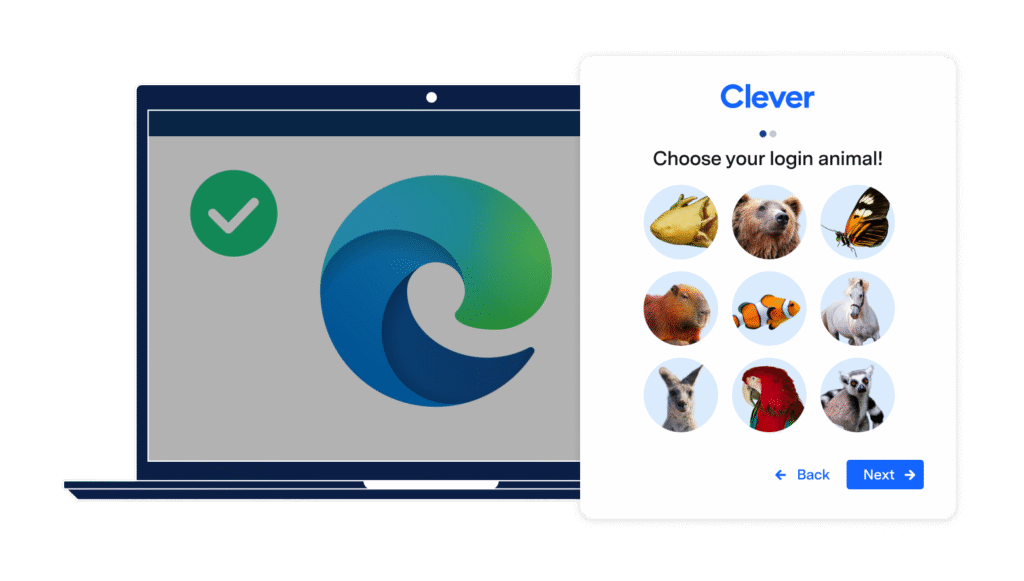
Image: Microsoft Edge for Business and Clever Classroom MFA login pictures
What device trust actually means
Zero trust security has two foundational questions: Who is this user? And should this device be trusted? Enterprise security tools have been asking both for years. Schools have mostly been stuck on the first one — not because the need wasn’t there, but because the tooling that could answer the second question was never built for education.
As Corey Lee, Security CTO for U.S. SLED at Microsoft, puts it: “Zero Trust strategies and architectures in K-12 differ significantly from enterprise due to the unique landscape of education. While many schools have already embraced aspects of Zero Trust, there’s a need to go beyond network isolation to incorporate identity, device, and application management.”
The Classroom MFA and Edge for Business integration is built specifically to answer that call — for schools operating in the Microsoft ecosystem.
How it works
Classroom MFA now integrates with Edge for Business to recognize trusted devices. When a student or staff member logs in from a Microsoft Entra-joined Windows device they’ve already used to set up MFA, the login flows through without an additional prompt. When the device isn’t recognized, MFA kicks in automatically.
Smarter, adaptive protection — without adding friction to the school day.
Setup is fast and simple. It’s managed in the places you’re already used to: the Clever Dashboard and the Entra admin center. No project plan. No lengthy implementation.
This is built for school organizations that have already invested in Microsoft infrastructure. You’re not ripping and replacing anything — you’re extending what you already have.
Security that doesn’t stop the lesson
One of the persistent tensions in school security is that tools designed to protect the network can end up disrupting the classroom. An MFA prompt that interrupts a lesson isn’t just an inconvenience — it’s lost instruction time, a helpdesk ticket waiting to happen, and the kind of friction that makes teachers reluctant to support security policies at all.
Device trust changes that calculus. If a student is on a known, managed device, the login is seamless. If something looks off — an unrecognized endpoint, a new network — the system asks for verification. Protection applies where it’s needed, not indiscriminately.
This is classroom-first security in practice: a system that understands the difference between a managed school device and an unknown one and responds accordingly.
Ready to see it in your school organization?
Classroom MFA’s Edge for Business Device Trust integration is available now. School organizations using Entra and Edge for Business can get started today — and your IT team gets full visibility into every login through access logs that surface exactly what happened: which device, whether MFA was prompted, and whether trust policies passed.
→ Learn how to get started with Clever’s device-free MFA.
-> Ready to set up device trust? Learn how to set up the Connector here.

More to read
Districts
Teachers
August 3, 2026
District-Wide Defense: A Texas School District’s Successful Rollout of Student MFAEdinburg CISD needed to secure student identities across a 30,000+ Chromebook fleet—without overwhelming an already stretched IT help desk. With Clever's age-tiered MFA framework, the Texas district enrolled 99% of its 32,000 students within two months, virtually eliminating password reset tickets and empowering teachers to resolve credential issues in the classroom.

Districts
Global
Teachers
August 3, 2026
One Sync, Half a Million Students: TDSB’s Rostering TransformationCanada's largest school board needed a smarter, more secure way to manage student data across a growing suite of learning applications—without adding to its IT team's workload. With Clever, Toronto District School Board built a customized, application-level rostering model that automated data sync from PowerSchool, gave teachers class-level access, and strengthened data security for 500,000+ students and staff.
Districts
Teachers
July 7, 2026
Newcastle Grammar School Meets Essential 8 Compliance with Clever MFANewcastle Grammar School closed a long-standing MFA gap for students without personal devices by deploying Clever's visual authentication integrated with Microsoft Entra ID, reducing SOC security alerts and unlocking modern authentication features like Windows Hello and Face ID. The school can now confidently answer board and cyber insurance questions on MFA coverage, with plans to extend the program to Years 8–9 and beyond.