















Clever product updates
May product release notes
May 9, 2018
clever


Check out the new features we released in the past month.
- Announcing the NEW Clever Guide
- Year-end Guide
- Teachers can now nickname sections
- Teacher Community
- Bulk Badge generation for ELL or special needs students
- Custom Sections improvements
- Online workshop: How to set up Clever SSO like a pro
Announcing the NEW Clever Guide
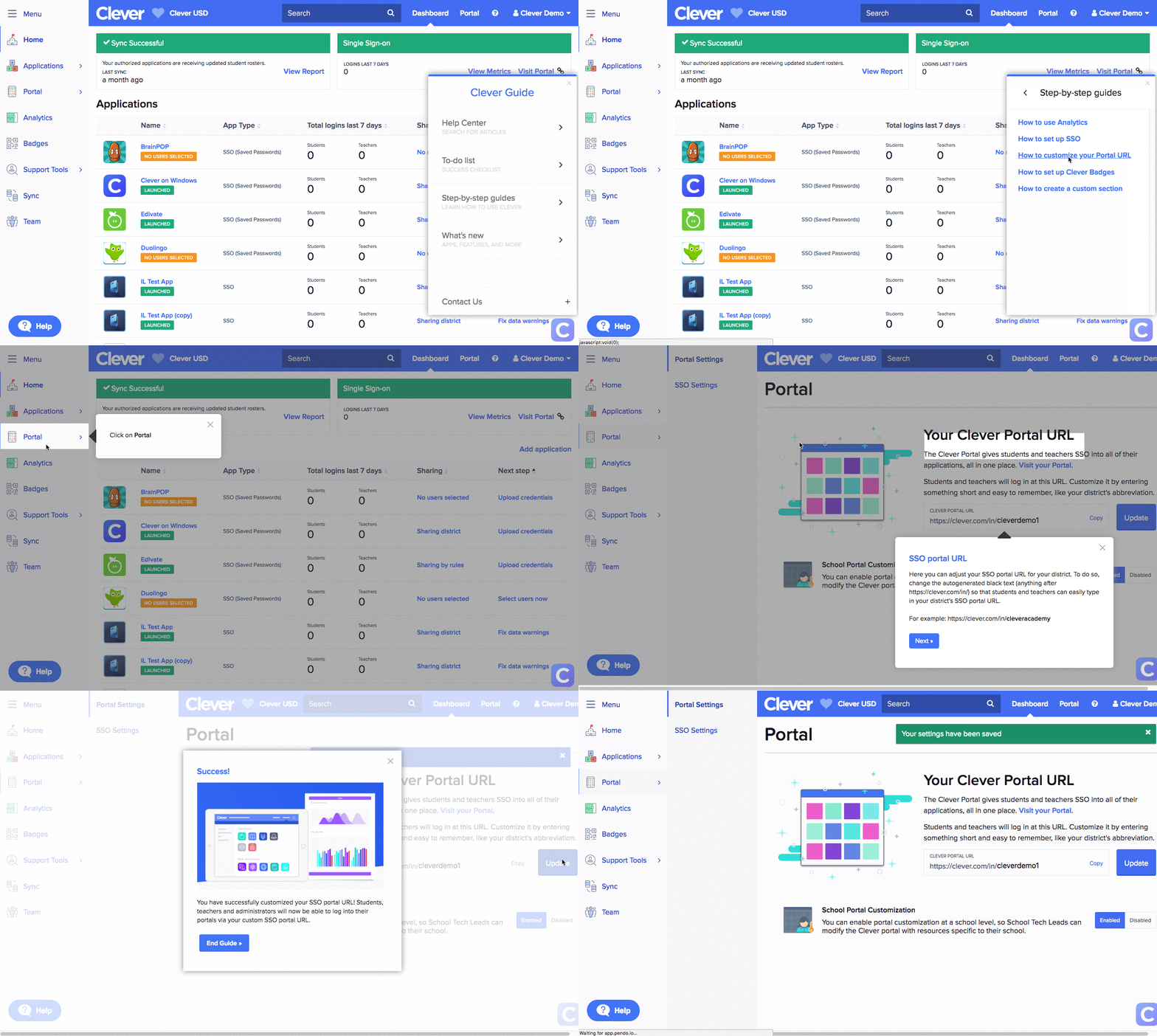
When you log in to your dashboard, you’ll now see an icon in the bottom right hand corner. This is our new and improved support and communication channel – Clever Guide. There are five main components:
- Help Center: Search for Help Center articles
- To-Do list: Actions to take for success with Clever
- Step-by-step guides: Learn how to use Clever’s features with these easy guides
- What’s new: Look here for announcements on new features, apps, and products
- Contact us: Submit a ticket to our Support Team
We hope you love this new way to learn more about making the most out of Clever!
Year-end Guide
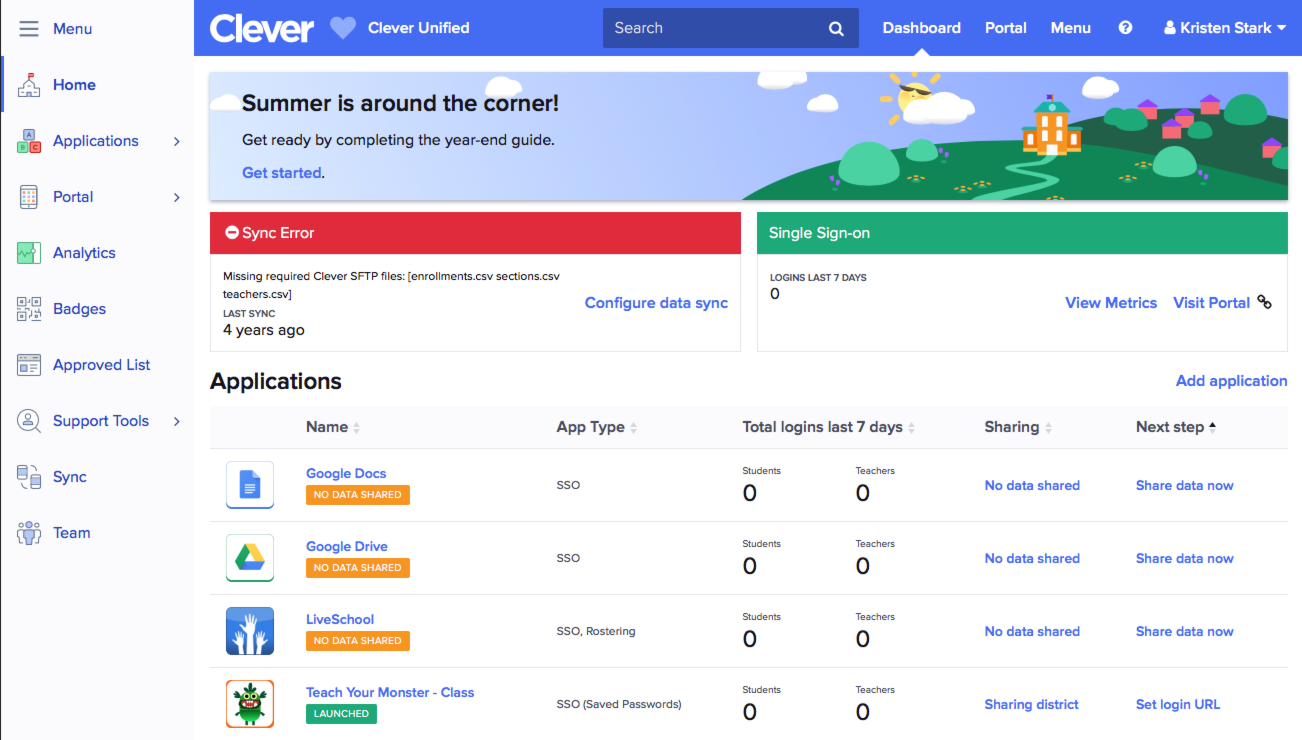
Make sure you have a smooth transition into the new school year! Complete your Clever Year-end guide before school ends. The Guide should take about 20 minutes, and walks you through important steps that ensure your applications continue to work seamlessly over the summer:
- Set your sync pause dates
- Plan your apps for next year
- Tell Clever what SSO solution you’re using
- Request a demo for Clever Goals
Teachers can nickname sections
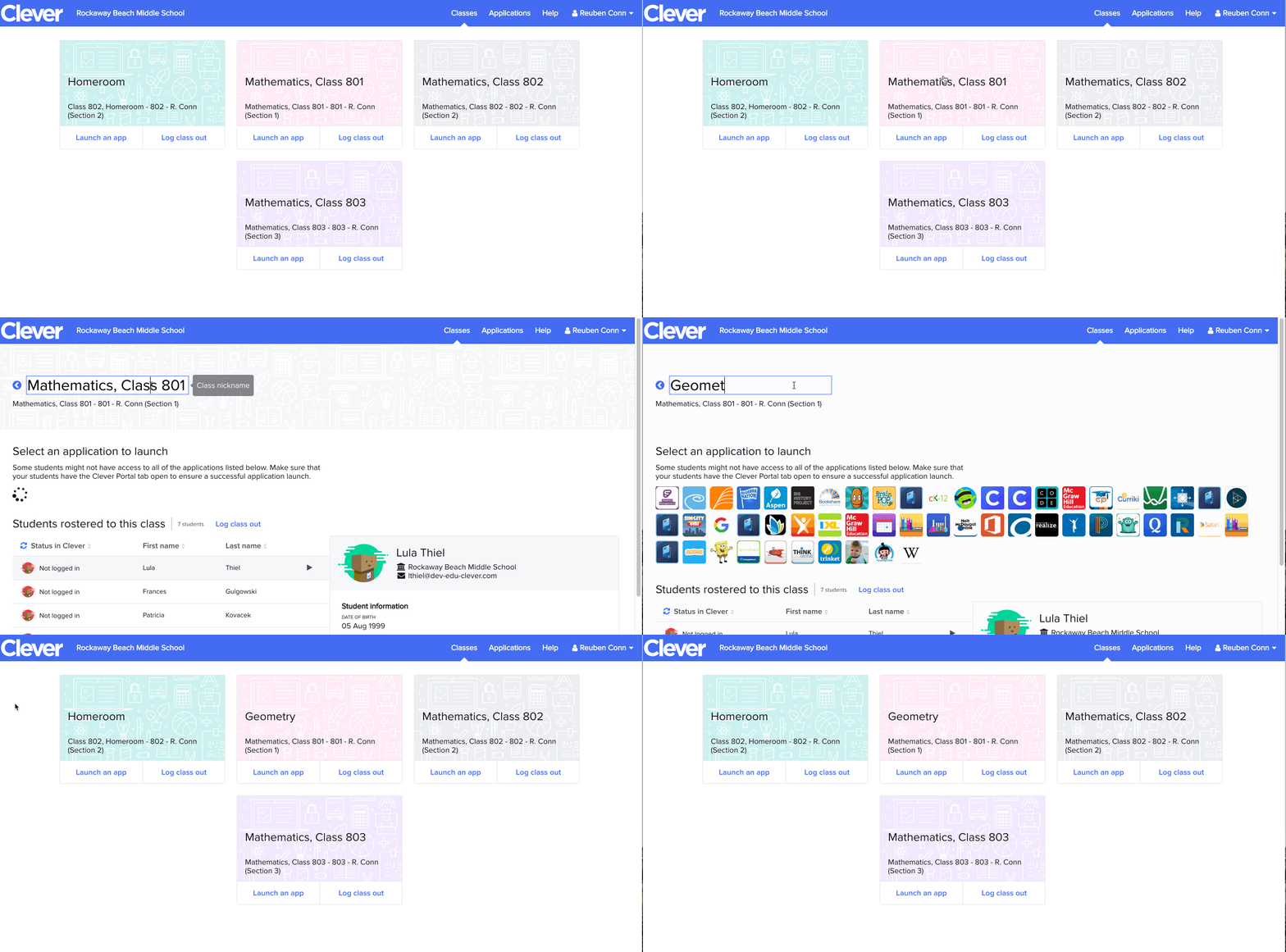
This was our #1 request from teachers since releasing our Class Pages – the ability to “nickname” their sections to make it more personal and relevant for them.
Teacher Community
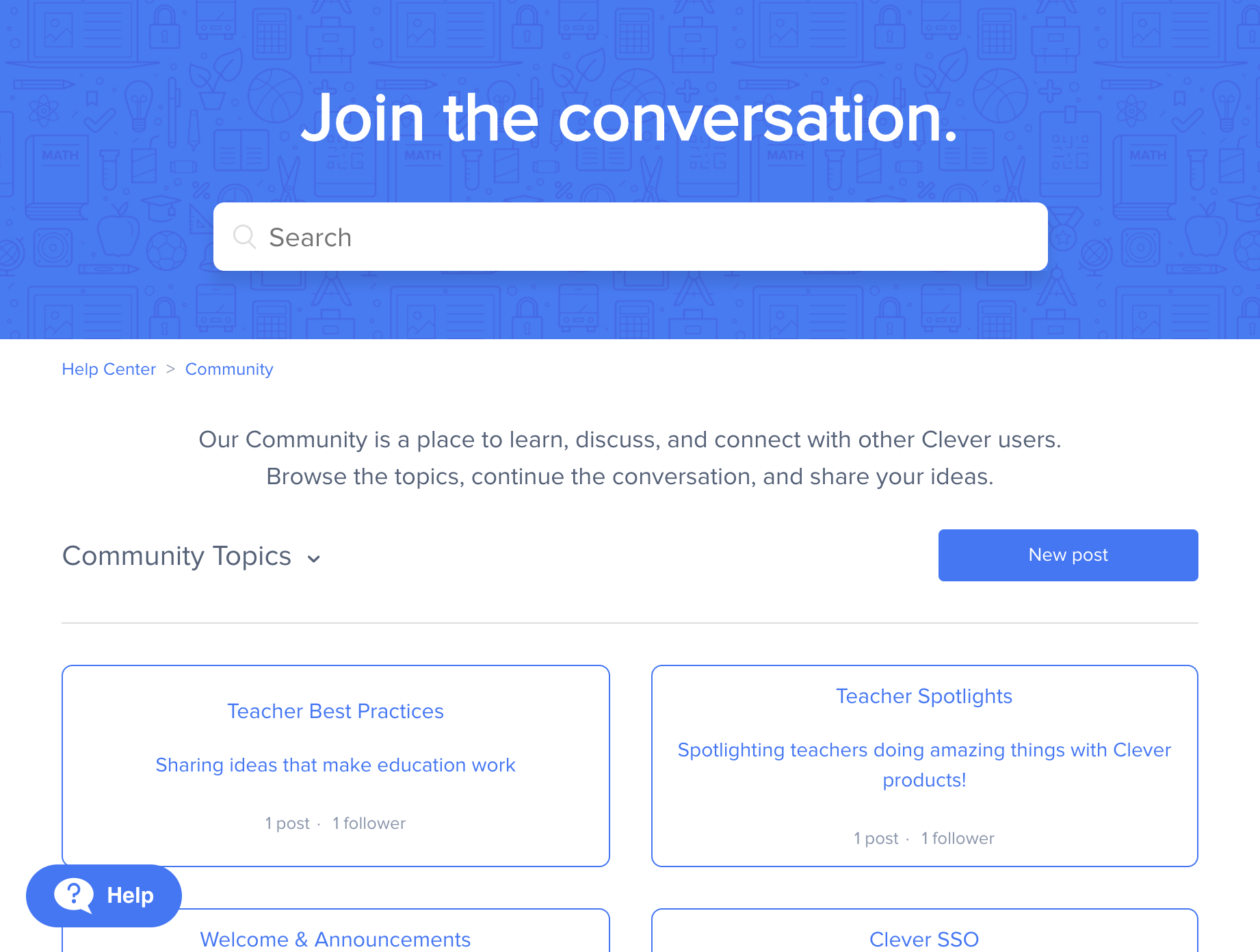
There’s now a specific place for teachers to talk to other teachers about Clever best practices, troubleshoot issues, share product feedback, and more! Teachers can log in directly from their teacher portal to access the Teacher Community.
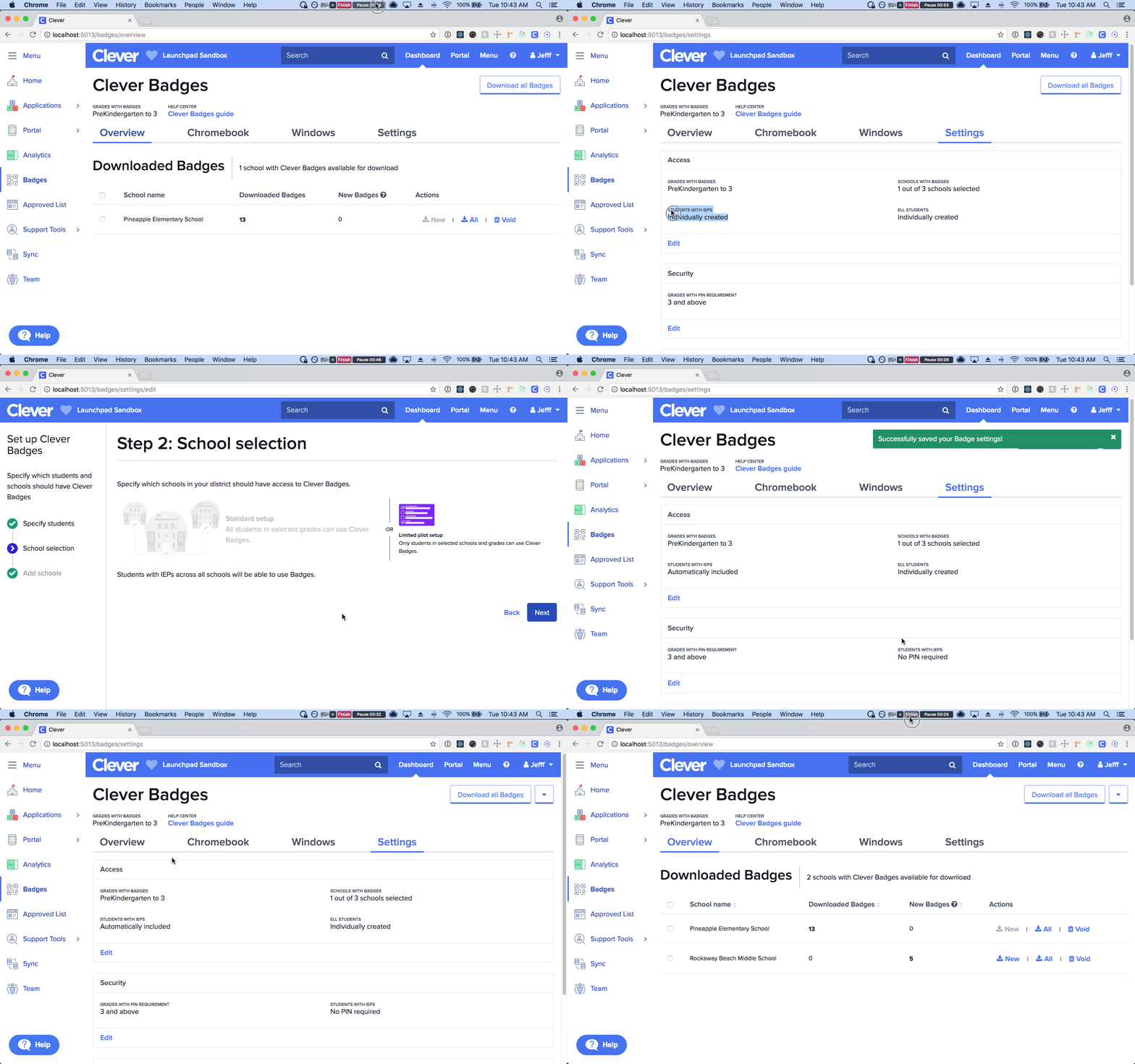
Bulk Badge generation for students with ELL or IEP status
Districts can now generate Badges for students with ELL or IEP status, no matter what grade they are in! If you turn on either of these toggles, Badges without PINs will be generated for these students (independent of the district’s school and grade scoping) and will be downloadable just like Badges for other students.
Custom Sections improvements
We know Custom Sections is a tool beloved by many people at the district! We wanted to make it easier for you to do bulk uploads, and also allow School Tech Leads to create custom sections. Coming soon to all users!
Online workshop: How to set up Clever SSO like a pro
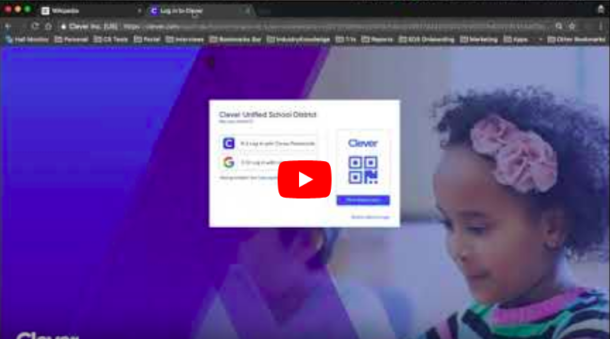
We held a fantastic online workshop last month where one of Clever’s District Success Managers, Jackson Shaad, leads you through how to set up Clever single sign-on! No problem if you missed it. You can always access the recording here: https://www.youtube.com/watch?v=e3mlHoZSQ90&.
Have feedback on other features you’d like to see? Post them in the Clever Community!

More to read

Districts
Teachers
August 3, 2026
District-Wide Defense: A Texas School District’s Successful Rollout of Student MFAEdinburg CISD needed to secure student identities across a 30,000+ Chromebook fleet—without overwhelming an already stretched IT help desk. With Clever's age-tiered MFA framework, the Texas district enrolled 99% of its 32,000 students within two months, virtually eliminating password reset tickets and empowering teachers to resolve credential issues in the classroom.
Districts
Global
Teachers
August 3, 2026
One Sync, Half a Million Students: TDSB’s Rostering TransformationCanada's largest school board needed a smarter, more secure way to manage student data across a growing suite of learning applications—without adding to its IT team's workload. With Clever, Toronto District School Board built a customized, application-level rostering model that automated data sync from PowerSchool, gave teachers class-level access, and strengthened data security for 500,000+ students and staff.
Districts
Teachers
July 7, 2026
Newcastle Grammar School Meets Essential 8 Compliance with Clever MFANewcastle Grammar School closed a long-standing MFA gap for students without personal devices by deploying Clever's visual authentication integrated with Microsoft Entra ID, reducing SOC security alerts and unlocking modern authentication features like Windows Hello and Face ID. The school can now confidently answer board and cyber insurance questions on MFA coverage, with plans to extend the program to Years 8–9 and beyond.